Phone Review
Phone Review
Review the words you saved while playing, on your phone, away from the game. Scan a QR code on your PC and the review opens in your phone’s browser — nothing to install, no account. Every answer goes straight into Playto, so your review schedule stays the same on both screens.
Getting started
- Connect your phone to the same Wi-Fi as your PC.
- In Playto on your PC, open TOOLS › Integration and press Start under Review on your phone. A QR code appears.
- Scan it with your phone’s camera. The review opens in the browser and shows Connected to PC.
The first time, Windows may ask for permission — allow Private networks. Playto has to stay open on the PC while you review, since the cards come from it.
Lite: 10 recommended cards per session. Standard: every deck, choosing your own cards, and no limit.
The home screen
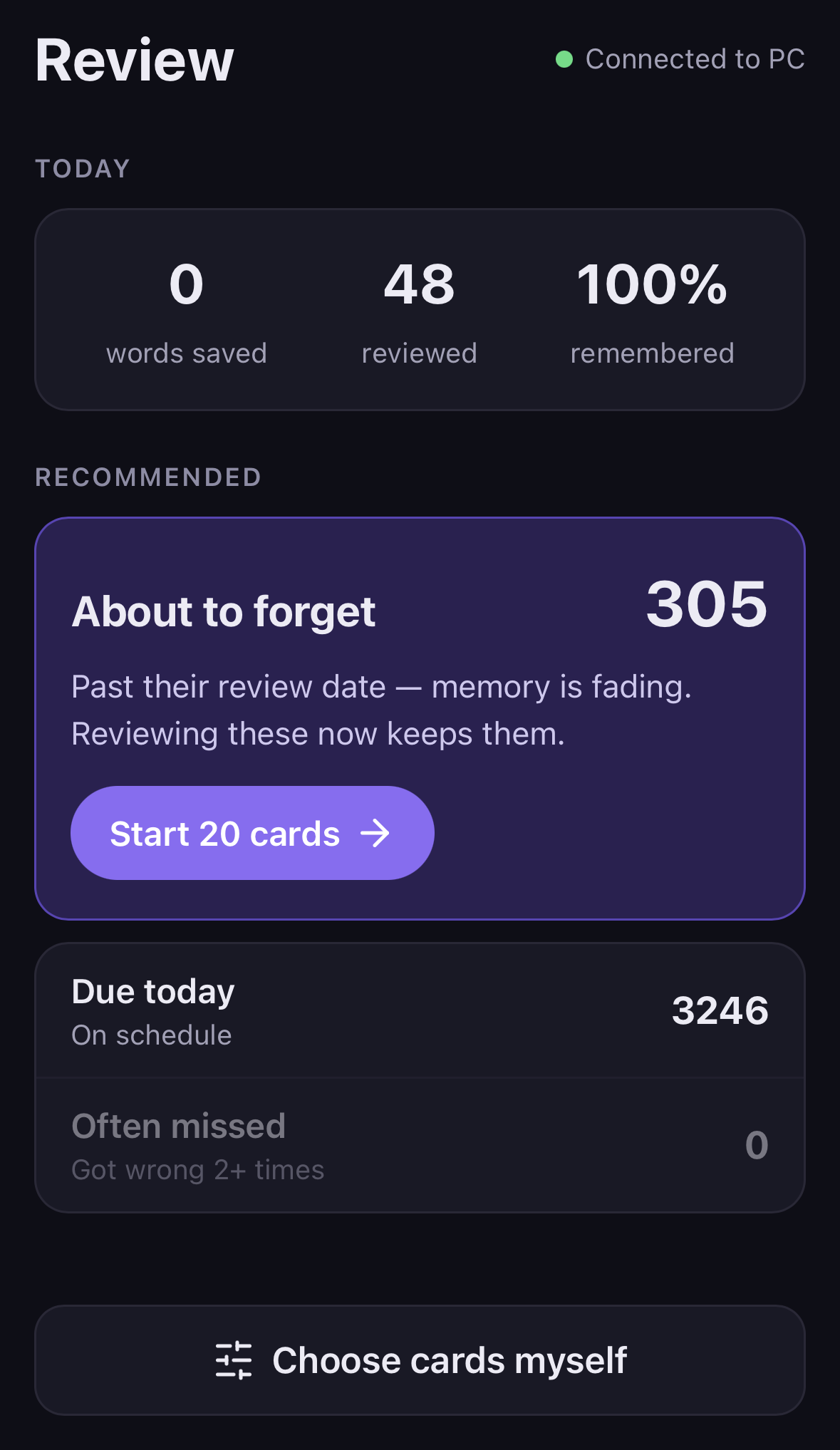
Today shows the words you saved today, how many you reviewed, and how many of those you remembered.
Under Recommended, Playto picks what to review first:
- About to forget — words well past their review date, where memory is fading. Reviewing them now keeps them.
- Due today — words whose review date has arrived, on schedule.
- Often missed — words you got wrong two or more times.
Choose cards myself lets you pick instead: which cards, one game, a tag, a language, and how many (10, 20 or 50).
Reviewing a card
Each card shows one word. Try to recall it, then tap Show answer. The back is split into clear parts: the part of speech and meanings, In your game (the line where you met the word, with its translation), and examples.
Answer with Got it or Again. Both buttons sit at the bottom of the screen, so one thumb is enough. Got it shows when the word comes back next; cards you mark Again can be run once more before you finish.
When the session is done, you see the words you missed and how many reviews are coming up over the next few days.
Stays on your home network
- The phone connects to your PC directly over your own Wi-Fi. Nothing goes through the internet. Use it on a network you trust, like your home — not café or hotel Wi-Fi.
- The QR code works once, and only for the phone that scanned it.
- The phone sees the cards you are reviewing and nothing else — not your log, settings or files.
- It stops when you stop it, when you close Playto, or after 30 minutes without use.
Good to know
- The phone screens are in English for now.
- Words and examples can be read aloud with your phone’s own voice, and Got it / Again play a short sound.
- Can’t connect? Check that the phone and PC are on the same Wi-Fi, and that Playto is allowed in Windows Firewall. Guest Wi-Fi often blocks devices from reaching each other.
- How the review schedule works is on the Word Book page.